Legacy systems rarely die from a single decisive blow. They die by inches — strangled by a newer system that wraps around them, intercepts their traffic, and quietly takes over function after function until there is nothing left to retire. That is the Strangler Fig pattern, and it is the realistic alternative to the eighteen-month rewrite that ships nothing.
TL;DR
- Big-bang rewrites fail because legacy systems are code plus years of undocumented edge cases — a clean-slate spec rediscovers them all in production.
- The Strangler Fig wraps a routing layer in front of the legacy system and migrates functionality slice by slice, with the legacy system serving users the whole time.
- The routing layer is the architectural spine: reverse proxy, API gateway, BFF, or feature-flag middleware — pick the boring, reversible option.
- Slice by endpoint, by entity, or by user segment; the first slice should be high-value, low-risk, and have a clear boundary.
- Shared data is the hardest part: legacy-owns-DB, CDC replica, dual-write with the outbox pattern, or a fully split DB — each with different consistency trade-offs.
- Observability — shadow traffic, response diffing, canary rollouts, and an
X-Served-Byheader — is non-negotiable.- Migrations die in the final 5%;
// DELETE BYcomments and retirement ceremonies make sure the old code actually goes away.
Why Big-Bang Rewrites Fail
Every senior engineer has watched — or led — the same project. The legacy system is painful. A new team is chartered to “build the replacement.” Eighteen months of runway, a clean repo, modern stack, fresh enthusiasm. At month twelve, the new system still doesn’t handle the three gnarly edge cases that keep the legacy one alive. At month eighteen, leadership asks when it’s going to ship. At month twenty-four, the rewrite is quietly cancelled and the legacy system gets another year of patches.
The pattern is old enough to have a name. Joel Spolsky wrote about it in 2000 under the title Things You Should Never Do, using Netscape’s rewrite as the case study — the rewrite that let Internet Explorer take the browser market while Netscape spent three years producing nothing shippable. Fred Brooks called the same failure mode the Second System Effect: the rewrite is where engineers indulge every ambition the first system couldn’t accommodate, and the weight of those ambitions sinks it.
The core problem is this: a legacy system is not just code. It is code plus years of accumulated edge cases, regulatory quirks, data corrections, and undocumented business rules that live only in the behaviour of the running binary. A rewrite that starts from a clean spec will rediscover every one of those rules the hard way, in production, under a deadline.
The Strangler Fig pattern is the alternative. It is not glamorous and it is not fast in the first month, but it is the approach that actually ships.
What the Strangler Fig Actually Is
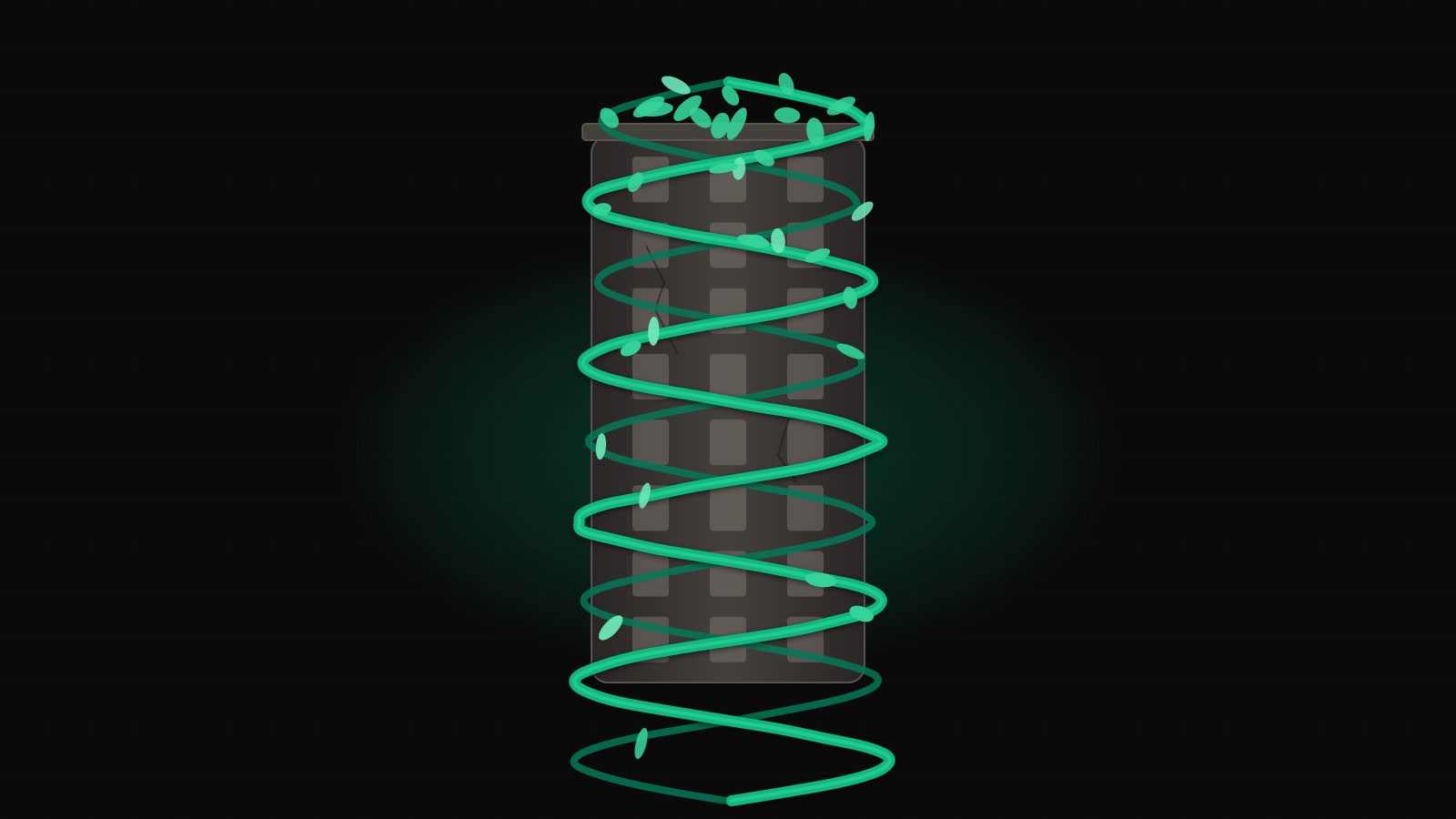
Martin Fowler coined the term in 2004, borrowing from the strangler fig trees of the Australian rainforest. The fig seeds germinate in the canopy of a host tree, drop roots down around the trunk, and gradually envelop the host. Over decades the host dies and rots away, leaving a hollow fig standing in its place — the same shape, filled with different wood.
The software analogue: you stand up a new system around the legacy one, intercepting traffic at the edge. Over time, more and more functionality lives in the new system; less and less lives in the old. Eventually the old system is an empty husk with no traffic and no owners, and you delete it.
The practical reading of the pattern comes down to four commitments:
- The legacy system keeps running and keeps serving users for the entire migration.
- Every new feature goes in the new system, never the old.
- Existing functionality migrates incrementally, in slices you can ship and roll back independently.
- A routing layer decides, per request, which system handles it.
That last point is the architectural spine of the whole pattern. Get the routing layer right and the rest is tractable engineering. Get it wrong and you’re back in big-bang territory.
The Architecture: Routing Layer in Front
The topology is always the same shape. Clients hit a routing layer. The routing layer consults some policy — path, header, feature flag, user ID — and forwards the request to the legacy system or the new system. Responses flow back through the same layer.
The routing layer is the only component that every request touches. It needs to be boringly reliable, cheaply observable, and trivially reversible. This is not where you innovate.
The Topology Over Time
Three snapshots make the shape concrete. At month zero, the router exists but sends everything to the legacy system. At month six, a few endpoints have moved. At month eighteen, the legacy system is down to a vestigial tail.
Month 0 — Router installed, legacy handles everything
flowchart LR
  C[Clients] --> R[Routing Layer]
  R --> L[(Legacy Monolith)]
  L --> DB[(Legacy DB)]
  N[New System<br/>skeleton only] -.-> DB
Month 6 — First slices moved, shared data via API
flowchart LR
  C[Clients] --> R[Routing Layer]
  R -->|/api/search<br/>/api/catalog| N[New System]
  R -->|everything else| L[(Legacy Monolith)]
  N -->|reads via API| L
  L --> DB[(Legacy DB)]
  N --> NDB[(New DB<br/>owned slices)]
Month 18 — Legacy retired to a vestigial core
flowchart LR
  C[Clients] --> R[Routing Layer]
  R -->|99% of traffic| N[New System]
  R -.->|final holdouts| L[(Legacy<br/>scheduled for deletion)]
  N --> NDB[(New DB)]
  L --> DB[(Legacy DB<br/>read-only)]
  NDB <-->|CDC sync| DB
The value of drawing these snapshots explicitly is that they become milestones. Product, leadership, and the on-call rotation all need to see the same picture of where you are and where you’re going.
Routing Options
The routing layer has four common implementations. Each makes different trade-offs.
Reverse proxy (nginx, Envoy, HAProxy). The simplest option. Route by URL path or host header. Cheap, fast, widely understood, and easy to reason about. The downside is that routing decisions are static — changing them means a config reload, not a runtime toggle. Best when slices align naturally with URL paths.
API gateway (Kong, Tyk, AWS API Gateway). A reverse proxy with extra batteries: auth, rate limiting, per-route transformations. Worth it if you already need those capabilities. Not worth introducing solely for strangler routing — you’ll spend the first month fighting the gateway’s opinions.
BFF per client (Backend-for-Frontend). Instead of one router, each client surface (web, mobile, partner API) gets a dedicated BFF that composes calls across legacy and new. This works well when clients need to call both systems in the same request. It also doubles your routing surface, so reserve it for teams that can own the BFFs properly.
Feature-flag-driven routing. The router consults a flag service per request to decide where to send it. Slower (an extra lookup) but gives you runtime control: canary by percentage, target specific user segments, instant rollback without a deploy. This is where you end up for anything involving user data migrations.
In practice, teams often stack these: a reverse proxy handles path-based routing for obvious slices, and a small middleware layer inside one of the apps handles feature-flag-driven routing for the risky cases.
nginx reverse proxy
A minimal nginx config demonstrating path-based routing. The /api/catalog and /api/search paths are served by the new system; everything else falls through to legacy.
upstream legacy_monolith {
    server legacy.internal:8080 max_fails=3 fail_timeout=30s;
}

upstream new_system {
    server new-api.internal:3000 max_fails=3 fail_timeout=30s;
}

server {
    listen 443 ssl http2;
    server_name api.example.com;

    # Observability: tag every request with which upstream served it.
    log_format upstream_log '$remote_addr - $upstream_addr '
                            '"$request" $status '
                            'rt=$request_time urt=$upstream_response_time';
    access_log /var/log/nginx/access.log upstream_log;

    location /api/catalog/ { proxy_pass http://new_system; }
    location /api/search/  { proxy_pass http://new_system; }

    # Everything else is still legacy.
    location / {
        proxy_pass http://legacy_monolith;
        proxy_set_header X-Forwarded-For $proxy_add_x_forwarded_for;
        proxy_set_header X-Forwarded-Proto $scheme;
    }
}
Envoy for weighted routing
When you need percentage-based traffic splits — the canary case — Envoy’s weighted clusters are cleaner than nginx.
route_config:
  virtual_hosts:
    - name: api
      domains: ["api.example.com"]
      routes:
        - match: { prefix: "/api/orders" }
          route:
            weighted_clusters:
              clusters:
                - { name: legacy_monolith, weight: 90 }
                - { name: new_system,      weight: 10 }
        - match: { prefix: "/" }
          route: { cluster: legacy_monolith }
Shift the weights gradually: 10, 25, 50, 90, 100. Hold at each step long enough to see a full business cycle (usually a week) and compare error rates, latency, and any business metric that matters.
Feature-flag middleware in Node.js
For user-level routing — “move this cohort to the new system” — a small middleware inside your gateway app is often the cleanest answer.
import type { Request, Response, NextFunction } from "express";
import { flags } from "./flags"; // LaunchDarkly, Unleash, etc.
import { proxyTo } from "./proxy";

const LEGACY = "http://legacy.internal:8080";
const NEW    = "http://new-api.internal:3000";

export async function routeOrders(
  req: Request,
  res: Response,
  next: NextFunction,
) {
  const userId = req.user?.id;
  if (!userId) return proxyTo(LEGACY, req, res);

  const useNew = await flags.boolVariation(
    "orders.route.new-system",
    { userId, tier: req.user.tier },
    false, // default: legacy
  );

  res.setHeader("X-Served-By", useNew ? "new" : "legacy");
  return proxyTo(useNew ? NEW : LEGACY, req, res);
}
Two details worth noting. The default is legacy — if the flag service is unreachable, traffic falls back to the system we know works. And every response carries an X-Served-By header so that bug reports, logs, and dashboards can tell which system answered. That header is worth more than it looks.
Slicing the Monolith
Strangling requires a plan for what to move, in what order. Three slicing dimensions cover most cases.
By endpoint. Move one HTTP route at a time. Works well for stateless, read-heavy APIs where each endpoint has a clean boundary. The classic first slice is search: high traffic, high visibility, no write path, easy to compare results.
By entity. Move everything related to one domain entity — customers, orders, invoices — together. Harder because entities usually span many endpoints, but cleaner long-term because the new system owns a coherent chunk of the domain. This is the slicing you want for Domain-Driven Design-style migrations.
By user segment. Move the same code path, but only for a subset of users. Useful when the functionality is risky and you want a small blast radius. “Internal users only” is the traditional first segment; “free tier” is the traditional second.
The right answer is usually a mix. Slice by entity for the domain model, by endpoint within each entity for the rollout, by user segment for the risky writes. What you don’t want is a plan that says “we’ll figure out the slicing as we go” — that’s how you end up with a new system that accidentally replicates the old one’s structure because nobody drew a line.
The Hardest Problem: Shared Data
Routing is tractable. Data is the part that kills migrations.
The legacy system has a database. The new system wants its own database, with a better schema. But during the migration, both systems need consistent access to shared state — a customer updated in legacy must be visible in new, and vice versa. You have four options, roughly in order of increasing ambition.
Option 1 — Legacy owns the DB, new calls it via API
The new system gets data by calling the legacy system’s API (or by exposing a new read API on top of the legacy DB). No replication, no sync issues, no dual-write.
- Pros: Safest. Single source of truth. Cheap to start.
- Cons: Couples new system latency to legacy system latency. Legacy DB becomes a bottleneck. You haven’t actually strangled the data, only the code.
Good for early slices where the new system is mostly a renderer. Bad as an end state.
Option 2 — New system owns a replica via CDC
Change Data Capture streams every write on the legacy DB to the new system’s DB. Debezium tailing the Postgres WAL or MySQL binlog is the canonical setup.
- Pros: New system has its own fast local copy. No tight runtime coupling to legacy.
- Cons: One-way — the new system can read but not write authoritatively. Schema drift between the two sides is now a thing you manage forever.
Good when the new system is read-mostly, or during a transitional period before writes move over.
Option 3 — Dual-write with the outbox pattern
Both systems write. Every write on either side is mirrored to the other. Done naively this is a disaster — partial failures leave the two databases inconsistent and there’s no good way to reconcile. The outbox pattern is the only way to make dual-write survive production.
The outbox idea: whenever the application commits a business change, it also inserts a row into an outbox table in the same transaction. A separate publisher process reads the outbox and pushes events to the other system, marking rows as published once the receiving side acknowledges. The atomicity of the business write and the outbox insert guarantees no event is lost; the publisher’s retries guarantee eventual delivery.
-- Outbox table in the legacy (or new) database.
CREATE TABLE outbox (
    id            BIGSERIAL PRIMARY KEY,
    aggregate     TEXT        NOT NULL,   -- e.g. 'customer', 'order'
    aggregate_id  TEXT        NOT NULL,
    event_type    TEXT        NOT NULL,   -- 'created', 'updated', 'deleted'
    payload       JSONB       NOT NULL,
    created_at    TIMESTAMPTZ NOT NULL DEFAULT now(),
    published_at  TIMESTAMPTZ
);

CREATE INDEX outbox_unpublished_idx
    ON outbox (created_at)
    WHERE published_at IS NULL;
A transactional write looks like this:
BEGIN;
  UPDATE customers
     SET email = $1, updated_at = now()
   WHERE id = $2;

  INSERT INTO outbox (aggregate, aggregate_id, event_type, payload)
  VALUES ('customer', $2, 'updated',
          jsonb_build_object('id', $2, 'email', $1));
COMMIT;
Debezium (or a similar CDC tool) then reads the outbox table rather than the full WAL, producing a clean stream of domain events that the other system consumes. The receiving side applies them idempotently — keyed by outbox.id — so replays are safe.
- Pros: Both systems authoritative for their own slices during the transition. No lost events.
- Cons: You are now running a distributed system with eventual consistency. Reconciliation reports and a repair tooling story are non-negotiable.
Option 4 — Split the DB
The end state. Each system owns its own schema, its own lifecycle, its own backups. Any cross-boundary data exchange happens through well-defined APIs or events. No shared tables, no shared joins.
Getting here takes longer than people plan for. Budget it explicitly.
Team Model
Migrations fail for organisational reasons at least as often as technical ones. Three team shapes I’ve seen work, and the one to avoid.
Shape that works: one team, two workstreams. The same engineers own legacy and new. They feel every pain of the legacy system as they migrate it and carry that pain into the new system’s design. No throw-over-the-wall moments.
Shape that works: legacy team plus platform team. A dedicated platform team builds the routing layer, the outbox, the CDC pipelines, the flag service. The domain team does the actual slicing. Works in larger orgs where the plumbing is substantial enough to justify its own owners.
Shape that works: rotating tour-of-duty. Engineers rotate onto the migration for six months at a time, then back to their product team. Keeps knowledge distributed and prevents the migration from becoming a career dead end.
Shape to avoid: two teams, one for legacy, one for the replacement, each with its own leadership and its own incentives. The replacement team has every reason to declare victory early; the legacy team has every reason to keep the lights on and avoid change. They will pull in opposite directions, and the routing layer becomes a political battle instead of an engineering tool. If you cannot avoid this structure, at minimum give both teams the same success metric — preferably percentage of traffic served by the new system, measured weekly.
Sequencing: Which Slice to Migrate First
The first slice sets the tone for everything that follows. Pick wrong and the team loses faith in the approach before it has a chance to prove itself.
The rule I apply: high value, low risk, clear boundary. All three, not two of three.
- High value means users or the business notice the improvement. A faster search, a new capability, a page that no longer times out. This buys political capital for the slices that follow.
- Low risk means read-only if possible, and if not, reversible. No irreversible data migrations in the first slice.
- Clear boundary means the slice has a well-defined input and output, and doesn’t need to reach back into the legacy system for twenty different side effects.
Search endpoints, public read APIs, static content rendering, and export/reporting flows are all good first slices. The user’s authentication session, the payment capture flow, and the core write path for the main domain entity are bad first slices — save them for when the team has callouses.
Once the first slice ships and is stable in production for a few weeks, the team will have built routing, observability, deployment, and rollback muscles. The second slice will take half as long. By the fourth or fifth slice, the team is fluent and the only remaining question is prioritisation.
Observability During Migration
You cannot migrate what you cannot compare. Three capabilities are worth the investment up front.
Shadow traffic. The router sends each request to the legacy system as normal, and also asynchronously to the new system, discarding the new response. The new system runs production load without production risk. Latency, error rate, and resource usage become observable before a single user is affected.
Response comparison. Go one step further: capture both responses and diff them. Most comparisons will be identical. The interesting ones are the edge cases — the rounding difference, the null vs empty-string, the timezone bug in the new system’s date formatting. These are exactly the edge cases you need to find before cutover.
Canary then cutover. When you’re ready to send real traffic, do it in steps. Percentage-based weighted routing at the Envoy layer, starting at 1% and doubling each day you don’t see regressions. Keep the rollback path (flip the weights back) tested and one command away. Do not cut over 100% on a Friday.
Instrument every slice with the same four metrics: request rate, error rate, latency distribution, and a business correctness signal (order totals match, search result counts are within tolerance, etc). If you cannot put a business correctness signal on the dashboard, you do not understand the slice well enough to migrate it yet.
Killing the Old Code for Real
Strangler migrations die in the final 5%. The last few legacy endpoints have no owner, no tests, and no clear replacement, and they linger for years. This is avoidable but it requires discipline.
Two practices help.
Mark retirement dates in the code itself. Every legacy endpoint that has been replaced gets a comment with a date:
// DELETE BY 2026-04-01 — replaced by new-system /api/v2/orders
// Owner: orders-team. Routing: 100% new since 2026-01-15.
export async function legacyOrdersHandler(req, res) { /* ... */ }
A weekly or monthly job greps the repo for expired DELETE BY comments and opens tickets. Code that refuses to die generates work until somebody resolves it.
Hold a retirement ceremony. When a legacy subsystem goes dark, acknowledge it. A short post, a changelog entry, a Slack message with the commit SHA that deletes the last of it. This sounds cosmetic and it isn’t — it makes the progress visible to the organisation and gives the team the dopamine hit that sustains long migrations.
Delete the code, drop the database tables, decommission the servers, and close out the runbooks. If you skip any of those steps, the legacy system is not really dead — it’s just dormant, and it will come back as technical debt on someone else’s plate.
When the Strangler Fig Doesn’t Apply
The pattern is not universal. It assumes you can meaningfully split the system at the edges. Three situations where that assumption breaks down.
Stateful core with no natural seams. A monolith where every request touches a shared in-memory session store, a single god-object transaction scope, or a tightly coupled state machine cannot be sliced without a surgical refactor of the core first. The routing layer has nothing to route to.
Distributed transactions across the boundary. If a single business operation must atomically update state in both systems — and you cannot redesign it to be eventually consistent — the strangler fig turns into a two-phase commit problem, and two-phase commits across heterogeneous systems are a well-documented way to ruin a weekend.
Tight latency SLAs. If the extra hop through the routing layer is itself a regression against your SLA, the pattern imposes a cost you may not be able to pay. P99 budgets of a few milliseconds are the typical danger zone. Benchmark the router under realistic load before you commit.
When the Strangler Fig doesn’t apply, the honest answer is usually that the system needs a prior refactor to create the seams — not that you should fall back to a big-bang rewrite. A rewrite avoids the seams but pays for it in the 18-month wasteland.
Closing Checklist
If you are about to start a migration, these are the questions to have answered before you write the first line of new code:
- Do you have a routing layer in front of the legacy system, owned by someone, observable, and reversible?
- Is there an
X-Served-By-style signal on every response so you can answer “which system handled that request” in any bug report? - Have you chosen a first slice that is high-value, low-risk, and has a clear boundary — and agreed on the success criteria for that slice?
- Do you have a plan for shared data that goes beyond “we’ll figure it out” — either API-based, CDC replica, outbox dual-write, or split DB?
- Is there a single team (or aligned teams with a shared metric) responsible for the migration end to end?
- Can you shadow, compare, and canary before you cut over?
- Is there a mechanism —
// DELETE BYcomments, retirement tickets, something — to make sure the old code actually dies? - Have you honestly evaluated whether the Strangler Fig applies to your system, or whether you need a refactor for seams first?
Get those eight right and the migration will be long, but it will ship. That is the bar — not elegance, not a clean repo on day one, but a running system that a year from now serves the same users with different code underneath. Strangler figs take decades in the rainforest. Yours will take eighteen months. Plan for it.
Further Reading
- StranglerFigApplication — Martin Fowler (2004). The original essay that named the pattern and the canonical reference for it.
- Working Effectively with Legacy Code — Michael Feathers (2004). The companion volume on creating seams in code that resists change.
- Things You Should Never Do, Part I — Joel Spolsky (2000). The Netscape rewrite cautionary tale that motivates the whole pattern.
- Monolith to Microservices — Sam Newman (2019). A book-length treatment of incremental decomposition, including detailed coverage of the database splitting strategies sketched here.
- Building Evolutionary Architectures — Neal Ford, Rebecca Parsons, Patrick Kua (2017). The fitness-function framing for measuring migration progress over time.