Every schema migration is a distributed-systems problem wearing a SQL costume. The moment you type ALTER TABLE against a production database, you are coordinating three independent actors — the database, the old application code still in flight, and the new application code rolling out — and pretending they agree on what the world looks like. They don’t. They never do.
The discipline that keeps the lights on while the schema moves underneath you is expand/contract — a sequencing rule, not a tool, that turns every migration into a series of small, independently safe deploys.
TL;DR
- Treat schema changes as week-long campaigns, not atomic events — every phase ships as its own deploy.
- Follow the five-phase expand/contract loop: expand, dual-write, backfill, switch reads, contract.
- Never run a statement that triggers a full-table rewrite or holds
ACCESS EXCLUSIVEon a hot table.- Always set a short
lock_timeoutand useNOT VALID/CONCURRENTLYto keep DDL online.- Backfills must batch, throttle, paginate by key, and checkpoint — never run as one giant
UPDATE.- Roll out read switches behind feature flags with diff-checking before ramping traffic.
- Keep the old shape and old read path live until the rollback horizon has passed (often a week or more).
Why “ALTER TABLE” in Prod Is Dangerous
The failure mode is almost never the SQL itself. The SQL usually succeeds. What fails is one of the implicit assumptions behind the phrase “it’s just a small migration”:
- That the statement acquires its lock quickly.
- That the table fits in memory for a rewrite.
- That every replica catches up before you flip traffic.
- That the old application code can tolerate the new shape.
- That the new application code can tolerate the old shape for the few seconds during rollout when both are live.
Miss any one of these and the “small migration” becomes a 30-minute stall on your busiest table, a cascade of connection-pool timeouts, and a 2 a.m. rollback that may or may not be possible depending on what data you’ve already written.
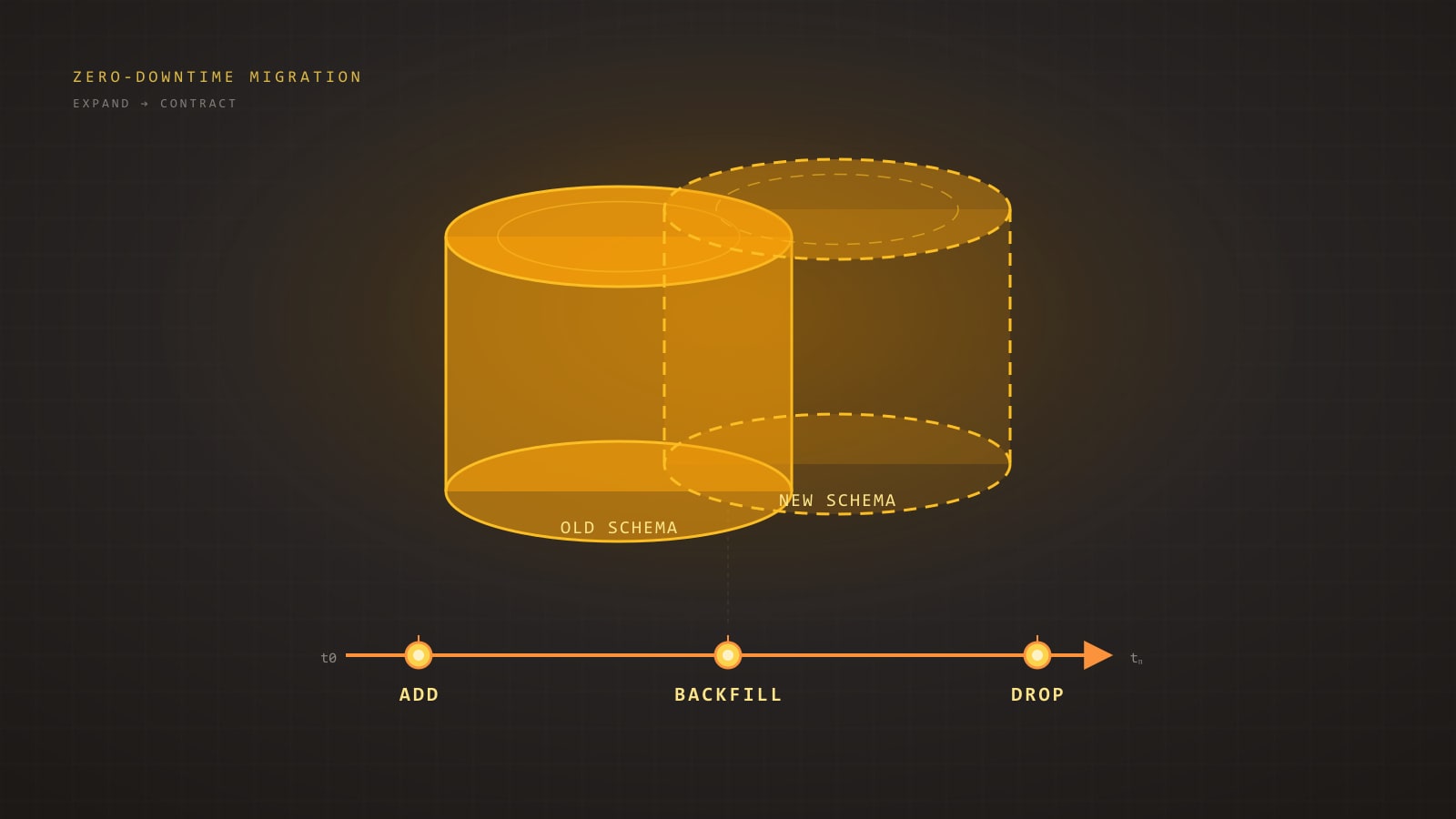
The discipline that makes this tractable is expand/contract, also called parallel change. It is not a tool. It is a sequencing rule: never change a column in place; always add the new shape beside the old, migrate in small steps, and remove the old shape only after everything depends on the new one.
The Expand/Contract Pattern in One Diagram
Every safe migration, regardless of complexity, collapses to the same five phases:
flowchart LR
  A[1. Expand schema<br/>add new column/table] --> B[2. Dual-write<br/>app writes old + new]
  B --> C[3. Backfill<br/>batched copy of old to new]
  C --> D[4. Switch reads<br/>app reads from new]
  D --> E[5. Contract<br/>drop old column/table]
Each arrow is a separate deploy. You do not batch them. The entire point is that between any two phases the system is fully operational — old code, new code, both readers and writers — because the schema and the application state are both backward-compatible with whatever was live ten minutes ago.
If you are tempted to collapse two phases into one deploy, you are no longer doing expand/contract. You are doing a maintenance window with extra steps.
The Six Classic Migration Shapes
Most production schema changes reduce to one of six shapes. Each has a recipe.
1. Add a nullable column — safe
In modern Postgres (11+), adding a nullable column or a column with a constant default is a metadata-only change. It takes a very brief ACCESS EXCLUSIVE lock and returns immediately.
ALTER TABLE orders ADD COLUMN promo_code TEXT;This is the baseline-safe migration. Deploy it alone, let the app start writing to it, done. The only gotcha: the ACCESS EXCLUSIVE lock, however brief, queues behind long-running transactions. If an analytics query has been scanning orders for 20 minutes, your ALTER waits 20 minutes — and every other query on orders waits behind it. Always set a short lock_timeout so you fail fast instead of stalling traffic:
SET lock_timeout = '2s';
ALTER TABLE orders ADD COLUMN promo_code TEXT;
If it can’t grab the lock in two seconds, it throws. Retry in a loop with a small jittered delay. This is non-negotiable for any DDL against a busy table.
2. Add a NOT NULL column with a default — dangerous
-- Looks innocent. Isn't.
ALTER TABLE orders ADD COLUMN status TEXT NOT NULL DEFAULT 'pending';
In Postgres 11+ this is fast if — and only if — the default is a constant (a literal, not a function like now() or gen_random_uuid()). A volatile default forces a full table rewrite, holding ACCESS EXCLUSIVE the whole time. On a 200 GB table that is an outage, not a migration.
The expand/contract version:
-- Step 1: add nullable, no default.
ALTER TABLE orders ADD COLUMN status TEXT;

-- Step 2 (application deploy): write 'pending' on every insert/update.

-- Step 3: backfill existing rows in batches (see next section).

-- Step 4: add the constraint without a full-table validation.
ALTER TABLE orders ADD CONSTRAINT orders_status_not_null
  CHECK (status IS NOT NULL) NOT VALID;

-- Step 5: validate in the background. Takes a SHARE UPDATE EXCLUSIVE
-- lock — does NOT block reads or writes.
ALTER TABLE orders VALIDATE CONSTRAINT orders_status_not_null;

-- Step 6 (optional, Postgres 12+): promote to a real NOT NULL.
ALTER TABLE orders ALTER COLUMN status SET NOT NULL;
-- Cheap, because the CHECK constraint already proves the invariant.
Six steps instead of one line. Every step is online. Nothing ever holds a long exclusive lock.
3. Rename a column — multi-step
A direct ALTER TABLE ... RENAME COLUMN is metadata-only and fast. The lock is not the problem. The problem is that the moment you rename, every old application instance that still references the old name starts throwing column does not exist errors. Rolling deploys mean old and new code coexist for minutes.
Rename the expand/contract way:
-- Expand
ALTER TABLE users ADD COLUMN full_name TEXT;
-- App writes to both `name` and `full_name`.
-- Backfill.
UPDATE users SET full_name = name WHERE full_name IS NULL;
-- App reads from `full_name`, still writes both.
-- App stops writing to `name`.
-- Contract
ALTER TABLE users DROP COLUMN name;
For wider organizations, you can avoid the app-level dual-write by using a generated column as a temporary bridge:
ALTER TABLE users ADD COLUMN full_name TEXT
  GENERATED ALWAYS AS (name) STORED;
Now full_name is always in sync with name without application cooperation. Once all readers have switched to full_name, drop the generated column, re-add it as a regular column, and the rename is complete.
4. Drop a column — multi-step
Dropping a column is the mirror image of adding one, and it has the same rolling-deploy trap. If you drop while old instances are still issuing SELECT * or explicit references, they fail.
-- Step 1: deploy code that no longer reads or writes the column.
-- Step 2: wait long enough to be sure every instance is on the new code
--         (rollback horizon — at least one full deploy cycle, often a week).
-- Step 3:
ALTER TABLE orders DROP COLUMN legacy_status;
There is a subtle Postgres-specific catch: DROP COLUMN is fast and only marks the column dead, but the physical bytes remain until the next VACUUM FULL or table rewrite. That is fine for small columns. For large columns on hot tables, follow up with pg_repack (see below) during a low-traffic window.
5. Change a column type — dual-write plus backfill
Type changes are where beginners get hurt. ALTER TABLE ... ALTER COLUMN ... TYPE rewrites the whole table and holds ACCESS EXCLUSIVE throughout. On anything bigger than a development fixture, don’t do it in place.
Instead, add a new column of the new type, dual-write, backfill, switch reads, drop the old.
-- Widening an integer id to bigint, the classic one.
-- Expand:
ALTER TABLE events ADD COLUMN id_new BIGINT;

-- Application now writes `id_new = id` on every insert/update.

-- Backfill in batches (see next section):
-- UPDATE events SET id_new = id WHERE id_new IS NULL AND id BETWEEN ... AND ...;

-- Build the new primary key concurrently:
CREATE UNIQUE INDEX CONCURRENTLY events_id_new_key ON events (id_new);

-- Swap:
BEGIN;
  ALTER TABLE events DROP CONSTRAINT events_pkey;
  ALTER TABLE events ADD PRIMARY KEY USING INDEX events_id_new_key;
  ALTER TABLE events RENAME COLUMN id     TO id_old;
  ALTER TABLE events RENAME COLUMN id_new TO id;
COMMIT;

-- Contract (later, after rollback horizon):
ALTER TABLE events DROP COLUMN id_old;
// Prisma dual-write during the expand phase.
// Both fields are on the model; the app is responsible for keeping them in sync.
await prisma.event.create({
data: {
id: newId, // old int column, still authoritative for foreign keys
id_new: BigInt(newId), // new bigint column, populated for backfill
payload,
},
});The critical constraint: the two columns must stay consistent for as long as both exist. Anything that updates one must update the other, in the same transaction. A missed write path is how you end up with id_new IS NULL on rows created during rollout, discovered only when the switch happens.
6. Add or rebuild an index — CONCURRENTLY
CREATE INDEX holds a SHARE lock that blocks writes. On any table with active inserts, this is an outage.
CREATE INDEX CONCURRENTLY idx_orders_customer_id
  ON orders (customer_id);
CONCURRENTLY takes only a brief lock at start and end. It scans the table twice, takes longer, and cannot run inside a transaction block (so most migration frameworks need a special flag to permit it). It can also leave behind an invalid index if it fails mid-flight — always check pg_index.indisvalid afterward and drop-and-retry if false.
Same rule for rebuilding: REINDEX CONCURRENTLY. Same rule for dropping: DROP INDEX CONCURRENTLY.
Backfills at Scale
The expand/contract flow sounds clean until you hit step 3 on a billion-row table. A naive UPDATE ... WHERE new_col IS NULL will lock rows, bloat WAL, explode autovacuum, and eventually abort because your statement ran longer than any sensible timeout.
Backfills at scale obey four rules: batch, throttle, paginate by key, checkpoint.
-- Keyset pagination: no OFFSET, no full scans, resumable.
-- Run this repeatedly until zero rows are updated.
WITH batch AS (
  SELECT id
  FROM   events
  WHERE  id > :last_processed_id
    AND  id_new IS NULL
  ORDER  BY id
  LIMIT  1000
  FOR UPDATE SKIP LOCKED
)
UPDATE events e
SET    id_new = e.id
FROM   batch b
WHERE  e.id = b.id
RETURNING e.id;
A few things earn their keep here:
FOR UPDATE SKIP LOCKED— if another backfill worker or an application write is holding the row, skip it and come back. No deadlocks.- Keyset pagination (
id > :last) —OFFSETdegrades to O(n²). Keyset stays O(n) and is trivially resumable: store the last processedidin a tinymigration_progresstable between batches. RETURNING— the worker reads the max returned id and uses it as the next:last_processed_id. No second query to find the cursor.- Small batches (100–10 000 rows) — small enough that the transaction is short and the WAL segment doesn’t blow up; large enough that per-batch overhead doesn’t dominate.
- Throttle between batches — sleep 10–100 ms, or monitor replica lag and pause when it exceeds a threshold. Backfills that outrun replication silently turn a hot standby into a useless one.
The whole worker in pseudocode:
let lastId = 0n;
while (true) {
  const rows = await db.$queryRaw<{ id: bigint }[]>`
    WITH batch AS (
      SELECT id FROM events
      WHERE id > ${lastId} AND id_new IS NULL
      ORDER BY id LIMIT 1000 FOR UPDATE SKIP LOCKED
    )
    UPDATE events e SET id_new = e.id
    FROM batch b WHERE e.id = b.id
    RETURNING e.id;
  `;
  if (rows.length === 0) break;
  lastId = rows[rows.length - 1].id;
  await checkpoint(lastId);        // persist progress
  await sleep(replicaLagMs() > 500 ? 1000 : 50);
}
Checkpointing is the difference between a backfill that survives a worker crash and one that restarts from row zero and blows through your deadline.
Dual-Write and Shadow-Table Patterns
Dual-writing to two columns of the same table, as above, is the simple case. The harder case is when you are migrating the table itself — splitting it, denormalizing it, or changing its primary key. That is where shadow tables come in.
A shadow table is a parallel copy with the new shape. The application writes to both, a backfill copies the old state, reads eventually switch, and the old table is dropped.
-- Shadow table with the new shape.
CREATE TABLE orders_v2 (
  id            BIGINT PRIMARY KEY,
  customer_id   BIGINT NOT NULL,
  total_cents   BIGINT NOT NULL,   -- was NUMERIC in orders
  status        order_status NOT NULL,
  placed_at     TIMESTAMPTZ NOT NULL,
  metadata      JSONB NOT NULL DEFAULT '{}'::jsonb
);

CREATE INDEX CONCURRENTLY orders_v2_customer_placed_idx
  ON orders_v2 (customer_id, placed_at DESC);
Application dual-write:
// Prisma: in one transaction, write to both.
await prisma.$transaction([
  prisma.order.create({ data: oldShape }),
  prisma.orderV2.create({ data: newShape }),
]);
# Rails: same idea with ActiveRecord.
ActiveRecord::Base.transaction do
Order.create!(old_attrs)
OrderV2.create!(new_attrs)
endDual-writing inside a single transaction is essential — a crash between the two writes leaves the shadow inconsistent forever, and you will discover it weeks later when the cutover reveals gaps.
When to pick dual-write vs. shadow-table:
- Dual-write to two columns of the same table — single column rename, type widening, splitting a compound column. Cheapest option. No index duplication.
- Shadow table — structural changes (new PK, partitioning, denormalization), anything that would require rewriting the underlying storage, or when you need to test the new shape’s query plans under real load before cutting over.
- Triggers — sometimes reasonable for propagating writes from old to shadow, but triggers are invisible behavior and make rollback much harder. Prefer explicit application dual-writes unless you cannot change every writer.
Online Schema Change Tools
Some changes are large enough that even expand/contract benefits from purpose-built tooling.
pg_repack— rebuilds a table in the background to reclaim bloat or change storage parameters, using triggers to capture ongoing writes. Takes only brief locks at start and end. The standard answer for “my table is 200 GB and half of it is dead tuples” or for following up aDROP COLUMNon a large column.pt-online-schema-change(Percona Toolkit) — MySQL, not Postgres, but the pattern is worth knowing. Creates a shadow table, triggers to propagate writes, copies in batches, swaps. The intellectual ancestor of almost every modern tool in this space.gh-ost(GitHub) — MySQL. Unlikept-osc, it reads the binlog instead of installing triggers, which is friendlier under heavy write load. Worth reading the design doc even if you are on Postgres.- Supabase and PlanetScale flows — both provide managed versions of this pattern. PlanetScale’s branching model in particular forces you into expand/contract by construction: you cannot merge a deploy request that would break the previous schema. If you are on one of these platforms, use the flow — it exists because enough teams shot themselves in the foot without it.
For Postgres, the honest summary is that the core engine now handles most common changes online (Postgres 11+ adds, 12+ NOT NULL promotion, CREATE INDEX CONCURRENTLY for a long time), and pg_repack covers what it doesn’t. You rarely need heavy external tooling — you need discipline about sequencing.
Foreign Keys, Enums, and CHECK Constraints
These three corners hide disproportionately many production incidents.
Foreign keys. Adding a FK to an existing table validates it, which takes SHARE ROW EXCLUSIVE on both tables and scans the referencing side. Always use NOT VALID first, validate later:
ALTER TABLE orders
  ADD CONSTRAINT orders_customer_fk
  FOREIGN KEY (customer_id) REFERENCES customers(id)
  NOT VALID;

-- Later, under SHARE UPDATE EXCLUSIVE (doesn't block DML):
ALTER TABLE orders VALIDATE CONSTRAINT orders_customer_fk;
Enums. ALTER TYPE ... ADD VALUE is fast in Postgres 12+, but you cannot use the new value in the same transaction that adds it. That detail has broken more CI migrations than any other single issue. Removing a value from an enum requires a full type rebuild — another strong argument for CHECK constraints against a lookup table instead of enums for anything that might ever churn.
CHECK constraints. Same pattern as foreign keys — add NOT VALID, VALIDATE later. Never add a validating CHECK on a large table in one step.
Framework-Specific Gotchas
The migration generators shipped with popular ORMs will happily write exactly the dangerous one-liners we spent this post avoiding. You need to know how to override them.
Prisma migrate generates raw SQL under prisma/migrations/. Edit the generated file before applying it. For CREATE INDEX CONCURRENTLY, you need to split the migration so the concurrent statement runs outside a transaction — Prisma respects -- @prisma:no-transaction directives via its migrations.lock workflow, or you can apply that step manually with prisma migrate resolve. Never run prisma migrate deploy against a hot production table without reading the SQL first.
Django migrations. The ORM is aggressive about inferring “simple” migrations that are anything but. AddField with a default triggers a rewrite on older Postgres. Use django-pg-zero-downtime-migrations or hand-edit to emit the nullable-then-backfill-then-constraint dance. RunSQL with atomic=False is how you sneak CONCURRENTLY past Django’s implicit transaction wrapper.
Rails strong_migrations. This gem exists precisely to refuse dangerous migrations before they reach production:
# db/migrate/20260325_add_status_to_orders.rb
class AddStatusToOrders < ActiveRecord::Migration[7.1]
  disable_ddl_transaction!

  def up
    safety_assured do
      add_column :orders, :status, :string
    end
    # Backfill in a separate job, not in the migration.
  end

  def down
    remove_column :orders, :status
  end
end
safety_assured is a signal to your reviewer that you considered the lock behaviour. disable_ddl_transaction! is required for CONCURRENTLY. Backfills should never live inside the migration file itself — they belong in a job runner where they can be batched, throttled, retried, and observed.
Feature-Flag-Driven Rollout of Reads and Writes
Expand/contract handles the schema. Feature flags handle the code that reads it.
The typical rollout for “switch reads to the new column”:
- Deploy code that can read from either, controlled by a flag defaulting to old.
- Enable the flag for 1% of traffic. Compare reads from old vs. new — they should be identical. Any mismatch is a backfill gap.
- Ramp to 10%, 50%, 100% over hours or days.
- Remove the flag and the old-read code path in a follow-up deploy.
The part teams skip is step 2’s comparison. If you flip reads without checking, a stale backfill row silently serves wrong data to 1% of users, and you find out from a support ticket three days later. A cheap diff-logger — “log when old != new during the shadow period” — turns this from “hope” into “know.”
Rollback Plans That Actually Work
“We can always roll back” is the comforting lie of schema migrations. You can roll back code in seconds. You cannot roll back data — once rows have been written in the new shape, the old shape no longer reflects reality.
A rollback plan that works has three properties:
- Every phase is independently reversible via code deploy, not schema change. Dropping an expand-phase column is a choice, not a requirement. Leaving it there costs almost nothing.
- The old read path remains wired up and tested until the contract phase. If you delete the old code as soon as you switch reads, you have no rollback — only “write a new migration to undo the previous one,” which at 2 a.m. is not a plan.
- The rollback horizon is explicit and long. Plan on a minimum of one full deploy cycle between “switch reads” and “drop old column.” A week is common. A month is not excessive for the kind of schema that holds financial data.
The asymmetry is crucial: adding a column costs bytes on disk. Dropping it prematurely costs you a recovery story. Bytes are cheap.
Closing Checklist
Before you click “deploy” on a schema migration, walk this list:
- Lock profile. Does every DDL statement acquire only brief locks, or have I split them with
NOT VALID/CONCURRENTLY? lock_timeout. Is every migration wrapped so it fails fast instead of stalling traffic?- Rewrite risk. Does any statement trigger a full-table rewrite? If yes, have I converted it to expand/contract?
- Rolling deploy compatibility. Can old code tolerate the new schema, and new code tolerate the old schema, during the minutes when both are live?
- Backfill plan. Is the backfill batched, throttled, resumable, and running outside the migration file?
- Replica lag. Does the backfill worker monitor and back off when replicas fall behind?
- Read-switch rollout. Is there a feature flag? A diff check? A graduated ramp?
- Rollback horizon. How long after “switch reads” do I wait before “drop old column”? Is that horizon documented?
- Observability. Do I have dashboards for lock waits, long-running queries, replica lag, and backfill progress before I start?
The shortest honest summary of everything above: schema changes are not atomic events, they are week-long campaigns. Plan them that way and the word “outage” stops appearing in the post-mortem.
Further Reading
- Refactoring Databases — Scott Ambler and Pramod Sadalage (2006). The original long-form treatment of expand/contract, predating the terminology.
- PostgreSQL Documentation — Concurrency Control and DDL locking levels. The source of truth for which statement takes which lock.
- Strong Migrations (Rails gem) — even if you are not on Rails, the README is an excellent catalogue of dangerous migrations and their safe alternatives.
- GitHub’s gh-ost design document. The clearest public description of how a binlog-based online schema change tool actually works.
The databases we run against in production are not the ones we write migrations against in our heads. The gap between them is where downtime lives. Expand/contract is the cheapest tool we have for closing it.